
How do I create and send an invoice to a patient?
In TMH Suite, creating invoices is a quick, flexible and increasingly automated process, designed so you can manage everything in just a few simple steps.
Access
Go to Invoicing and collections and select the payment for which you want to generate the invoice.
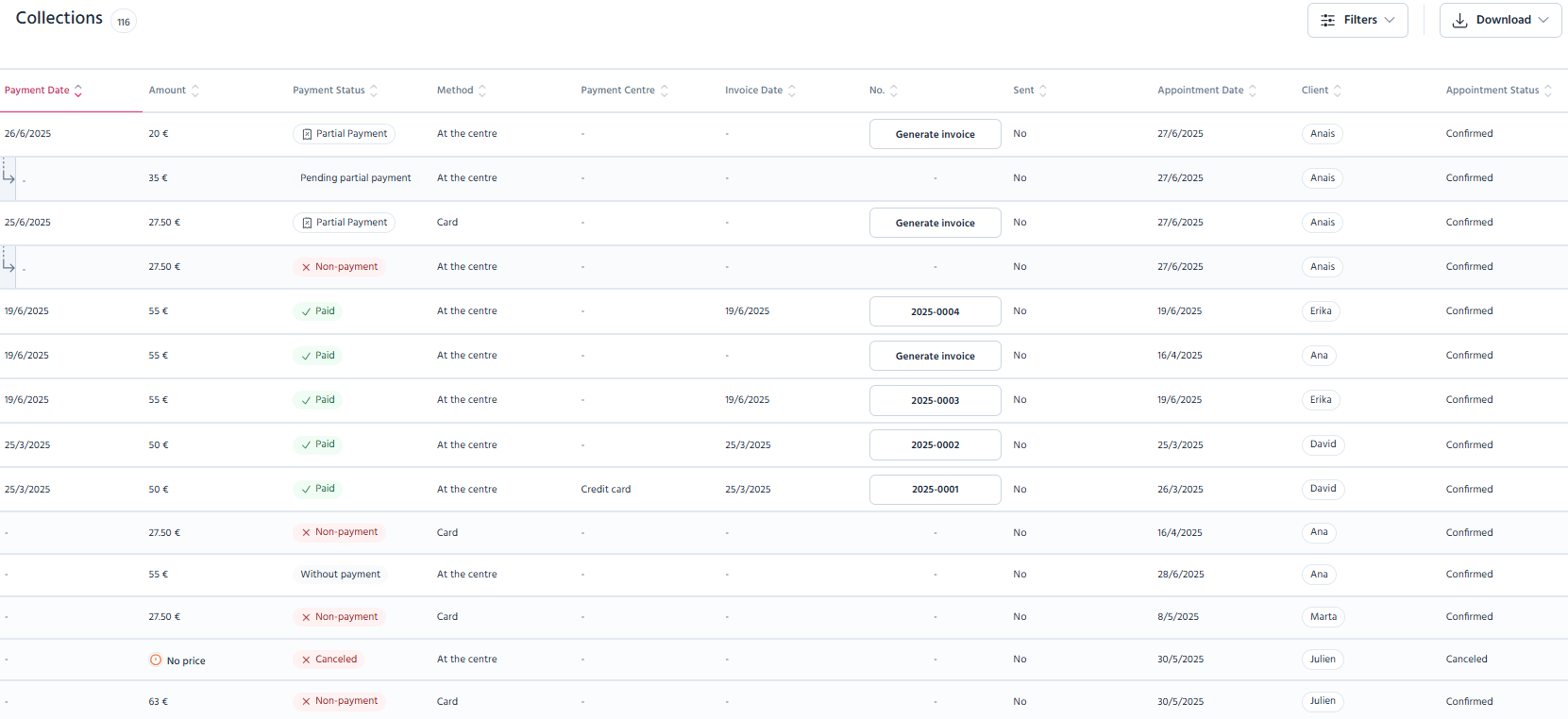
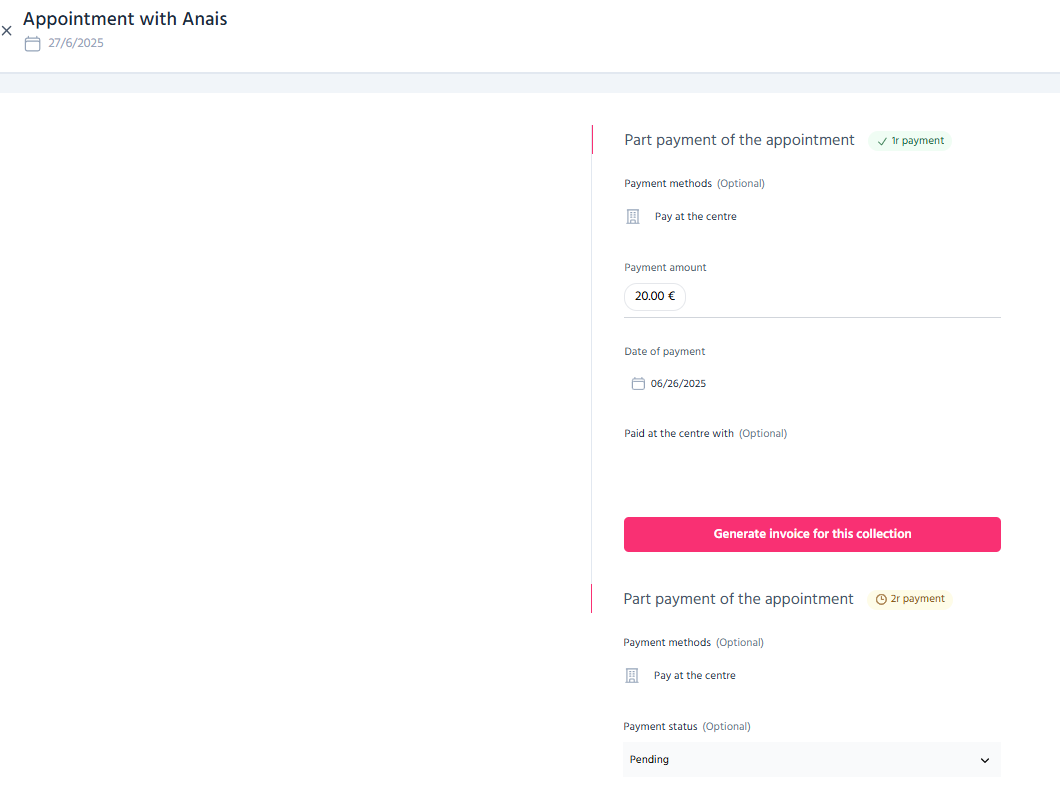
Before going on, make sure the payment includes:
● A payment method
● A payment status
If any of these are missing, fill them in and click Save changes.
This will enable the Create invoice option.
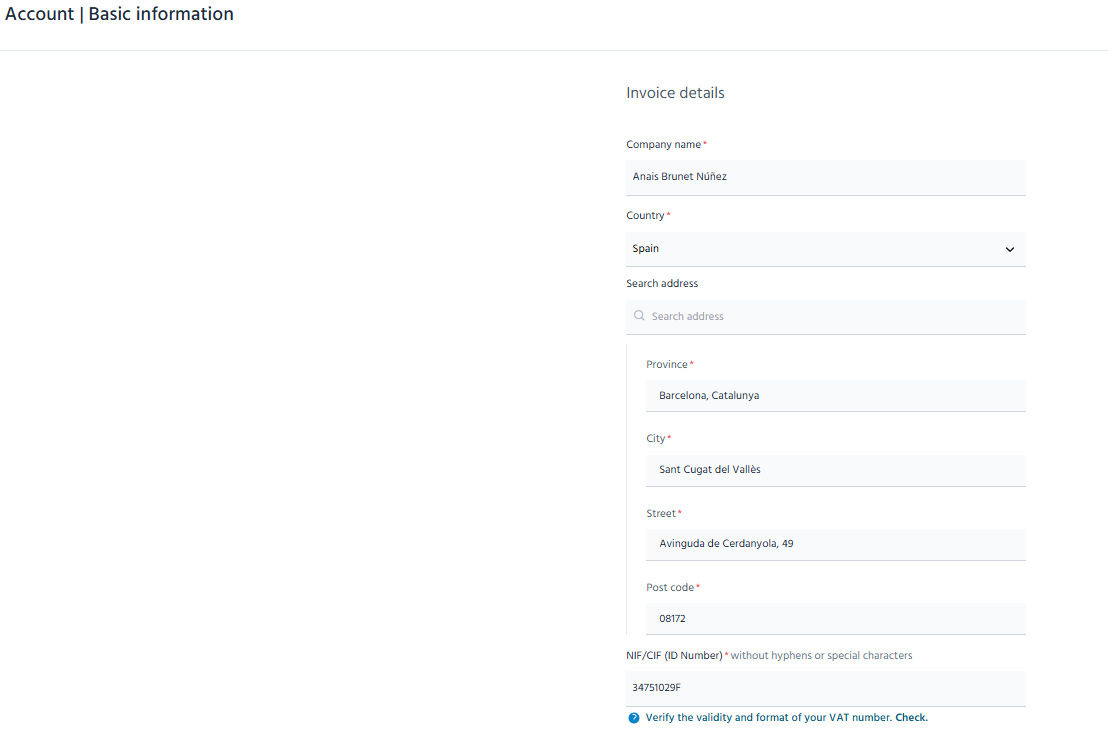
Fill in the patient’s invoicing details
Before generating the invoice, check or fill in the patient’s invoicing details. You must include:
○ Name or company name
○ Address
○ E-mail address
Important:
If you want to send the invoice automatically by e-mail, please ensure the e-mail field is filled in.
Configure the invoice details
Invoices are now much more flexible and adaptable to your professional practice. When creating them, you can customise all the information:
● Invoice number: Defines the identifier and numbering.
● Invoice date: By default this will be the current date, but you can change it.
● Description: This is automatically filled in with the service, but you can edit it.
● Terms and conditions: Adds information, if required.
● Invoice footers: You can write a new one or reuse saved text.
● Signature: You can add one by drawing, writing or uploading an image.
TIP: You can save your terms and conditions, invoice footers and signatures to reuse them on future invoices and save time.
Apply taxes and calculations
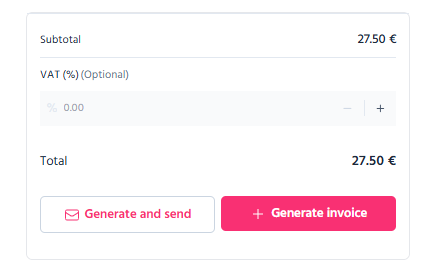
The system will automatically calculate the subtotal. From this sum, you can set up the taxes:
● VAT number
Generate the invoice
Once everything is ready, you can choose how to create it:
✔️ “Generate and send”
- The invoice is saved and created as a PDF.
- It is automatically sent to the patient by e-mail.
✔️ “Generate”
- The invoice is saved and created as a PDF.
- It is not sent to the patient.
🎨 Automatic customisation of your invoices
All invoices are automatically generated as PDFs and include the information you have previously set up in your account and during the invoice creation process.
● Your tax details (set up in Manage account)
● Your brand logo (set up in Manage account)
● Signature
● Customised text (terms, conditions or invoice footer)
● Patient invoicing details
All of the above is applied up automatically, so you do not have to configure it every time and you can
⏱️ What does that mean for you?
● Less time spent on administrative tasks
● Fewer manual errors
● More convenient and professional management
● Greater flexibility
So you can focus on what matters most, i.e. your patients.
If you have any questions, please remember that we are here to help. Thank you for being part of TMH Suite!