
How to update my invoicing details
Updating your information on TMH Suite is quick and easy. As well as updating your personal and invoicing details, you can now set and customise many more aspects of your patients’ invoices to better suit the way you work.
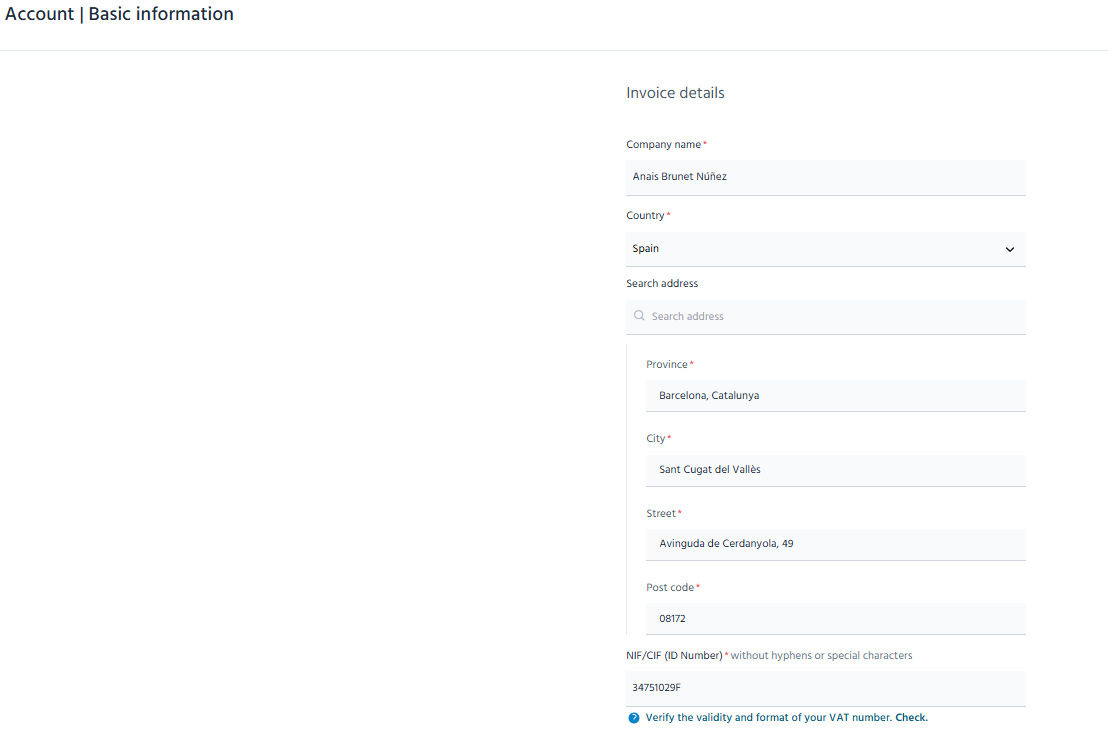
Steps to edit your invoicing details and settings
- Got to the menu
- Go to the “Manage account” section.
- Click on “Basic data”.
- Edit the information you need to change, e.g.:
Personal details
● E-mail address
● Name
● Phone number
Invoicing details
● Company name
● Address
● CIF/NIF
⚠️ Important information about changing your e-mail address
If you decide to change your e-mail address, please note that you will be asked to create a new password linked to that e-mail address. This is necessary for security reasons.
Please note
● Changes will be saved automatically.
● Invoicing settings will apply to future invoices.
● You can update your details and preferences whenever you need to via the “Manage account” section.
⏱️ These improvements aim to help you reduce errors, save time and simplify your daily management so you can focus on what matters most, i.e. your patients.
If you have any questions, please remember that we are here to help.