
Start using SophIA
SophIA is the clinical intelligence solution included in TMH Suite that has been designed specifically by and for psychologists. To start using SophIA, you only need to complete three steps:
Explore SophIA
1. Log in to your TMH Suite Calendar account.
2. Click on the SophIA logo, located at the bottom left of the menu.
3. SophIA welcomes you.
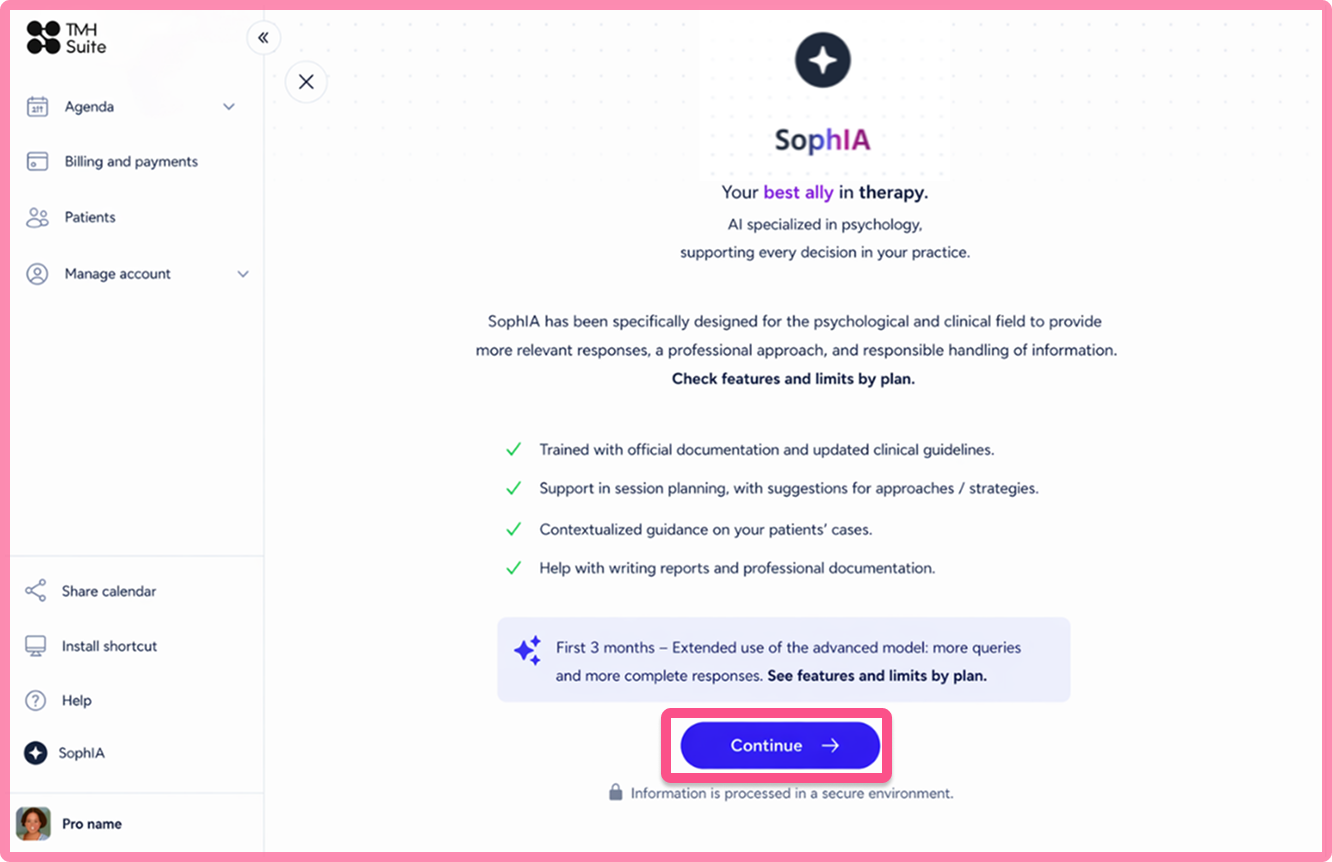
The first six months are free for Free accounts.
What is more, if you are a Premium user, you have access to the advanced version. To let you try out its full potential, the first three months are free.
Next, click on “Continue”.
Activate your Free Trial
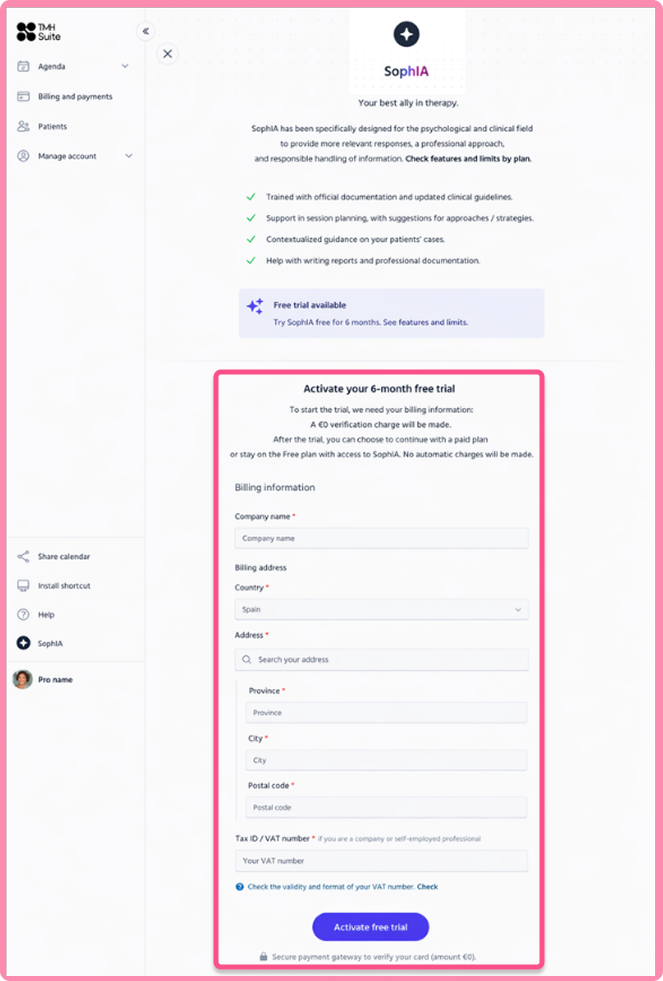
You will be taken to a page where you can do this. Fill in your invoicing details, if you have not already done so, and you will be asked to make a €0 payment to verify your card. This will be saved to your account for future purchases of additional features, if you choose to do so.
Customise your answers
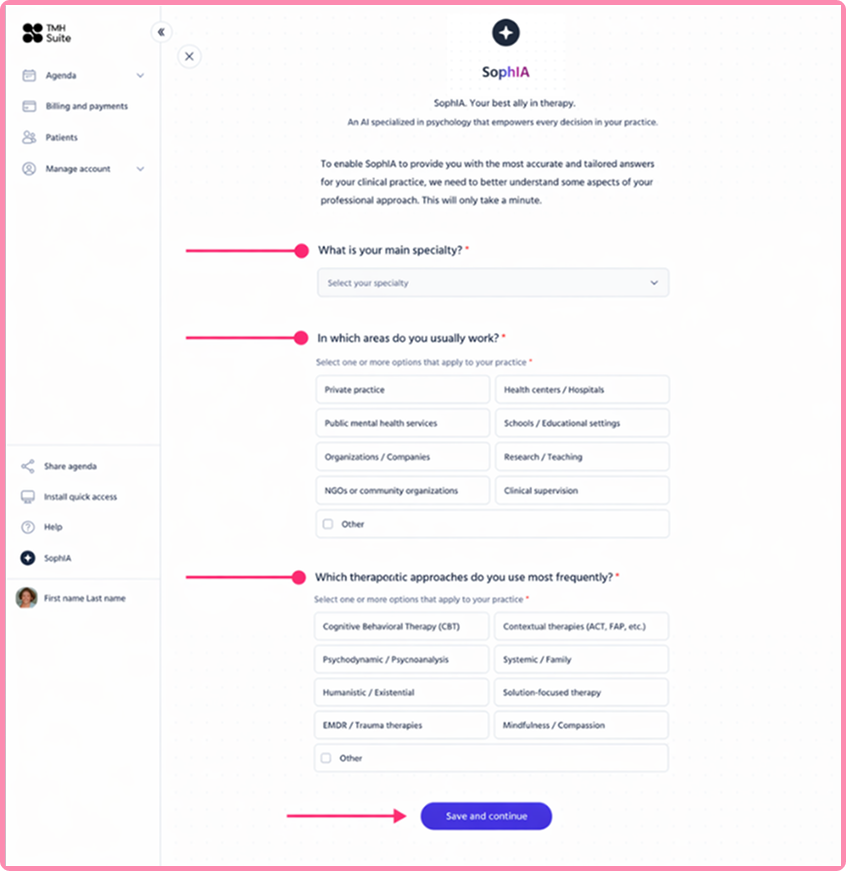
Once your invoicing details have been validated, SophIA will request additional information to provide you with more accurate answers tailored to your clinical practice.
Fill in the fields and click “Save and continue” to complete the setup.
Done! SophIA is now ready to go.
Before submitting your first query to SophIA, please answer this question: Do you want to make a general or a specific patient inquiry?
● General (content creation, writing an article, ethical queries) -> Use SophIA via the general chat. [SophIA general chat article]
● Patient-specific (case analysis, creating exercises, preparing your next session, taking session notes) -> Use SophIA from the patient’s file, this way you will have all the context you need. [SophIA article on patient chat]