
How to use SophIA in general without a specific patient?
Before submitting a query to SophIA, it is advisable to identify what type of query you want to make, as the tool can be used in two different ways:
● A query linked to a specific patient, for example, analysing a case, taking session notes, preparing the next session or exercises for your patient. [Link to: How to use SophIA in a customised way for a patient’s request? )]
● General query, such as writing an article or an ethical query.
If you need to make a general query, you can access SophIA from the tool’s main menu.
Accessing general queries:
1. First, log in to your TMH Suite session.
2. Go to SophIA.
In the menu at the bottom left, you will find the “SophIA” option
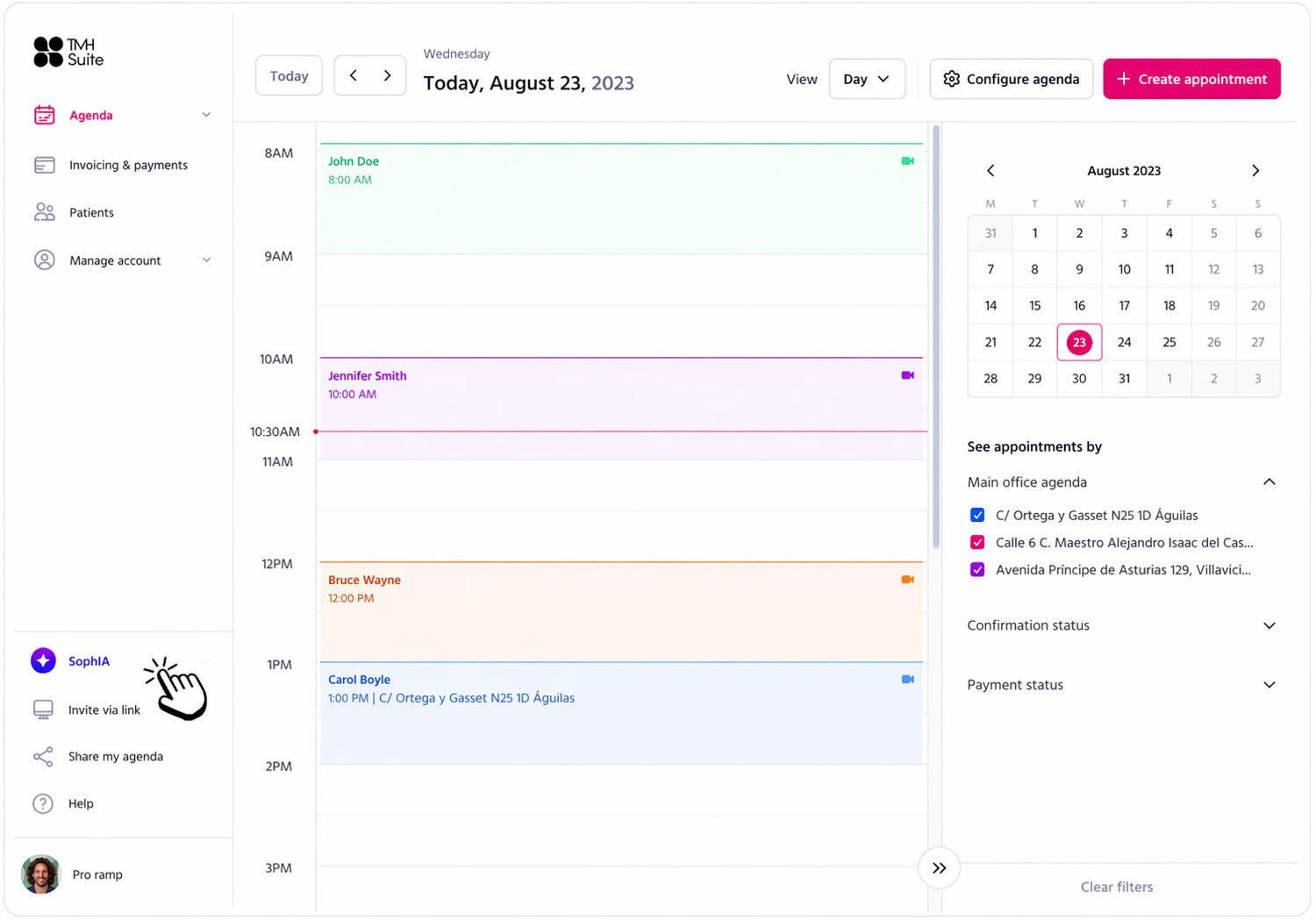
3. Clicking this option will open the SophIA general conversation panel.
From this panel, you can interact with SophIA.
The general panel is recommended when you want to:
● research or find out more about a symptom or disorder;
● prepare informative content;
● draft material for social media;
● produce articles or training materials;
● make general queries about psychology.
In this case, the conversation will not be linked to any patient.