
Request statuses in the Inbox
The Inbox organises requests by status to help you better manage your daily activities.
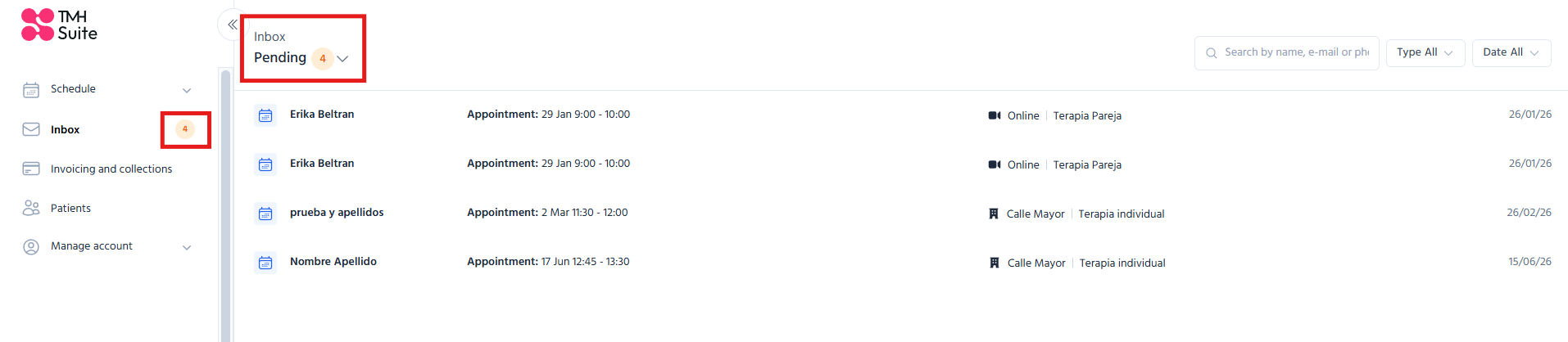
Available statuses
Pending
Include all requests that still require action:
● pending appointments;
● contact requests;
● suggestions.
Managed
Includes all requests that have already been processed or completed.
For example,
● confirmed appointments;
● contacts replied to;
● suggestions turned into appointments;
● requests manually marked as managed.
Real-time updates
The Inbox updates automatically when a request changes status.
Example
If you are viewing Pending and a request changes to Managed,
● the item will automatically disappear from the view.
Similarly,
● if an item is no longer managed,
● it will automatically disappear from the Managed view.
Confirmation messages
When a request changes status, a temporary confirmation message will be displayed.
This message
● will disappear automatically after a few seconds;
● can also be closed manually.
These notifications help to quickly confirm that the action has been carried out successfully.