
Feature: “Improve your query” within SophIA
SophIA also includes the “Improve query” feature, represented by a light bulb icon.
This tool helps you rephrase your question to get clearer, more accurate and more complete responses. To use it:
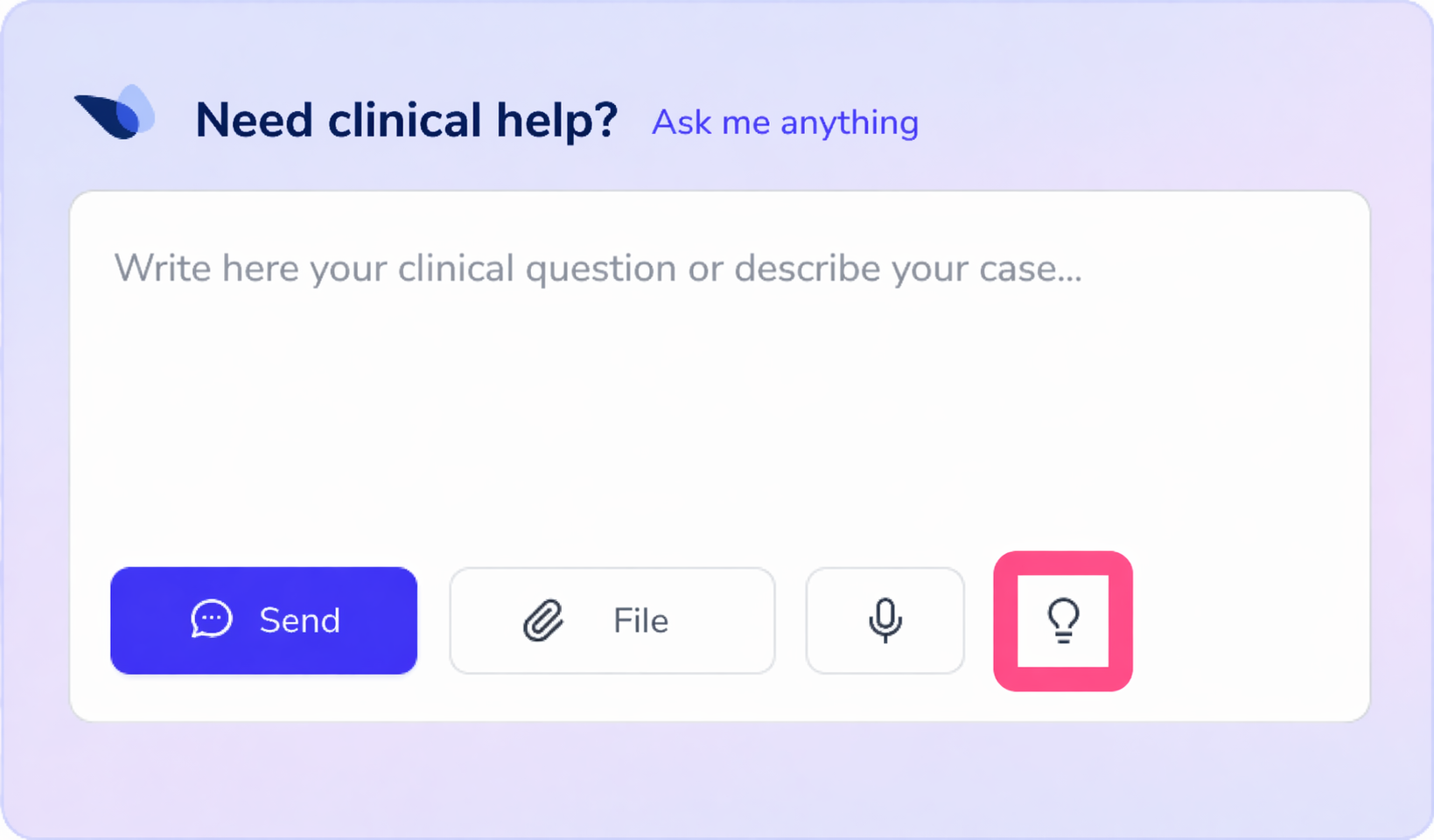
1. Log in to SophIA,
either from a patient’s file, whilst managing an appointment in the calendar or via the general access to the tool.
2. Improve the query:
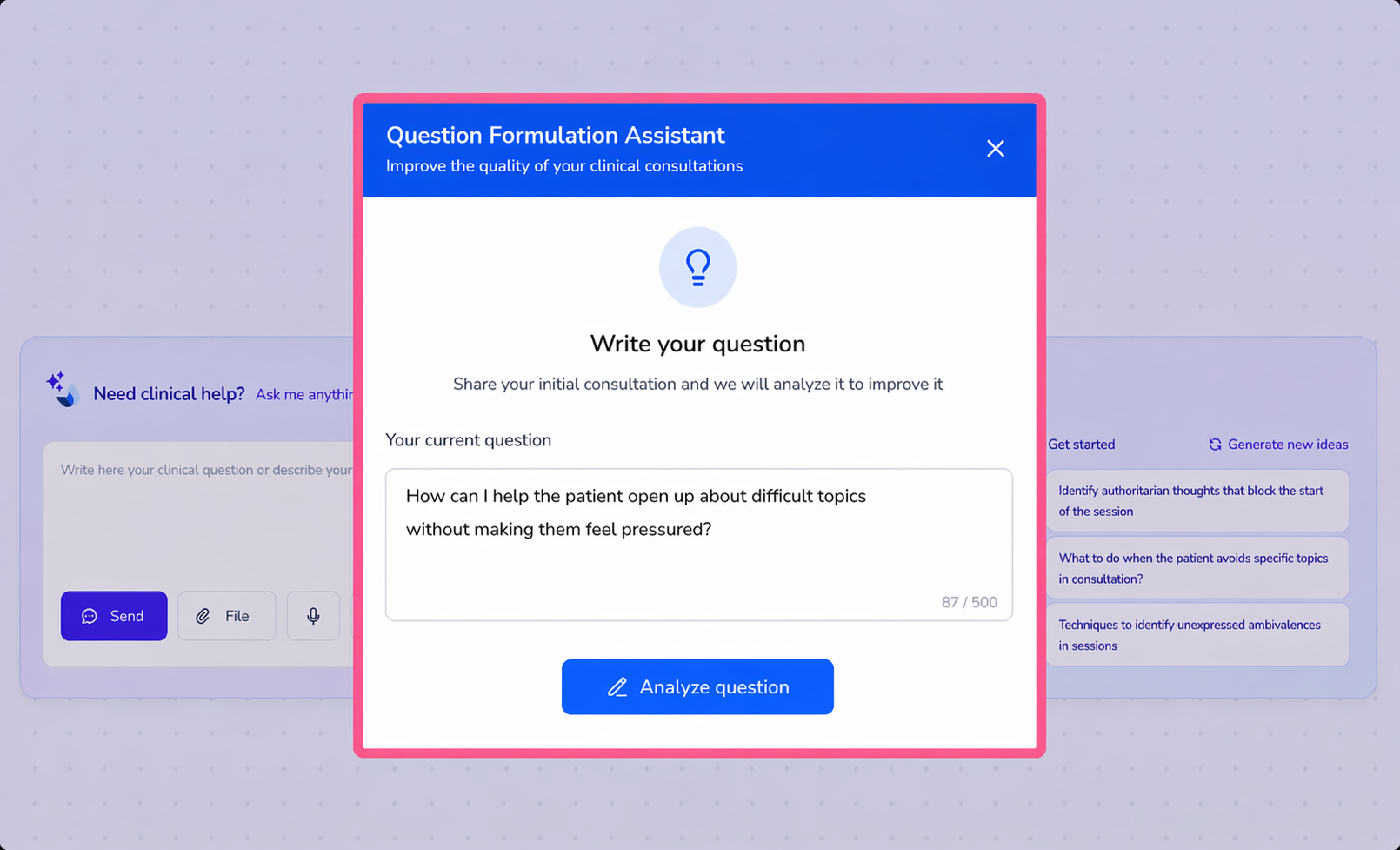
At the bottom of the conversation panel, next to the space where you type your query, you will find the light bulb icon.
By clicking this icon, SophIA will rephrase your question to make it clearer and more specific, which can help you get a more useful response.
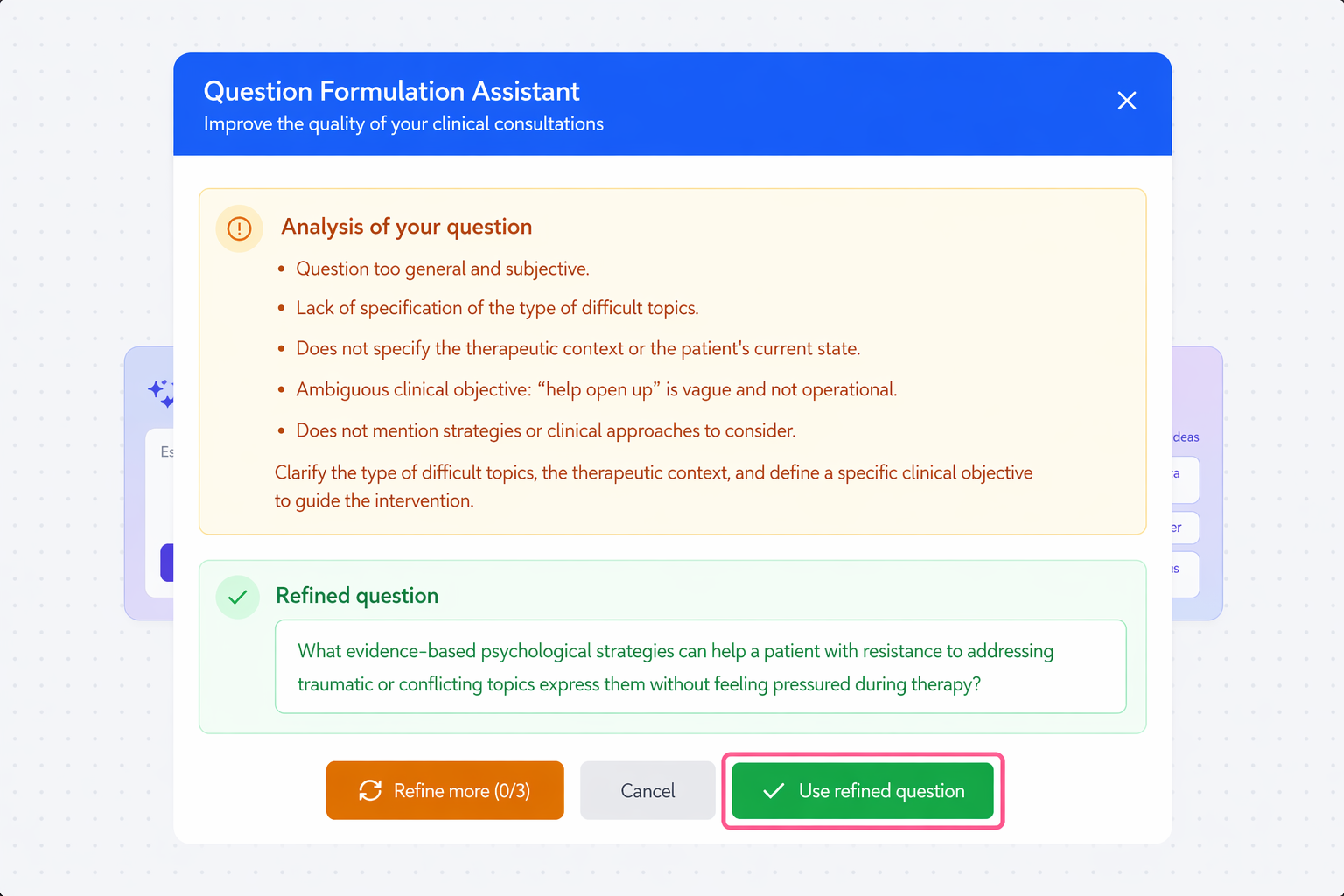
You can refine your query up to three times by adjusting the wording of the question before submitting it.
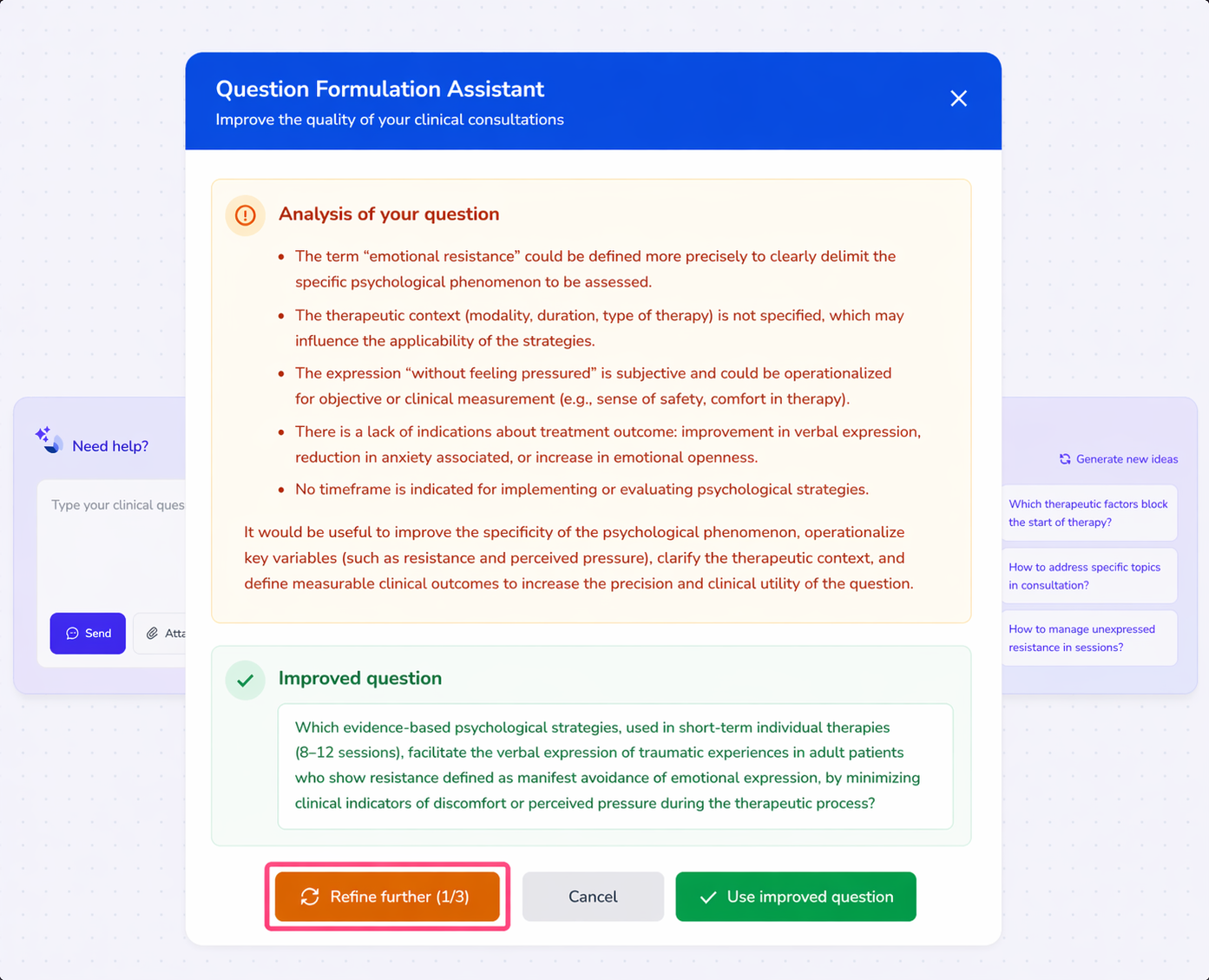
💡 This feature is particularly useful when:
● you are unsure how to phrase your query;
● you want a more structured response;
● you need to clarify the focus of your question.