
Assessments in SophIA: what is available and how to view results
Assessments help you gather information and track a case’s progress. Their results are viewed within SophIA.
Available assessments
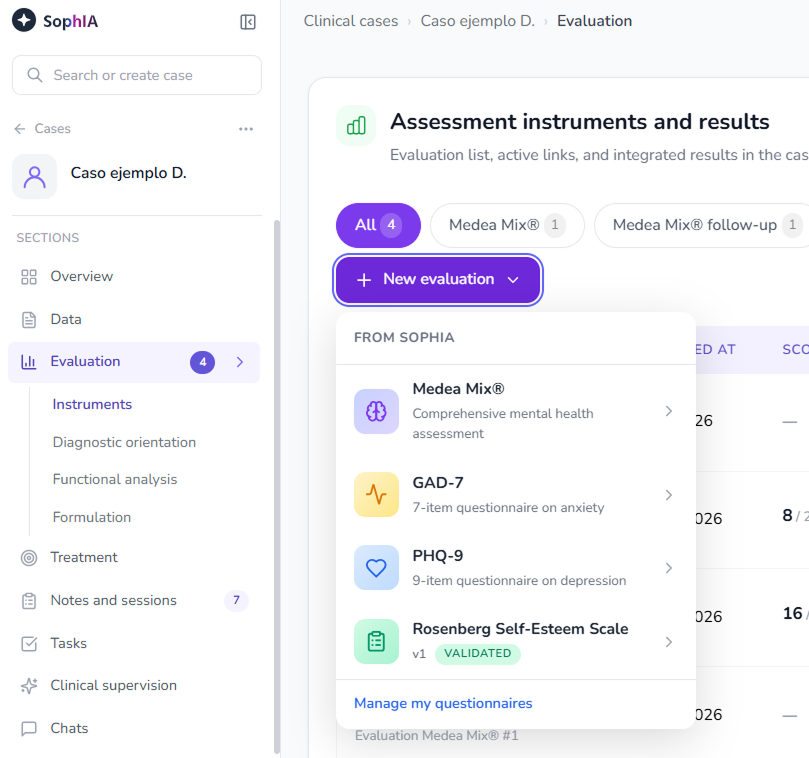
You can use Medea Mix, Medea Mix follow-up, GAD-7 and PHQ-9. The Rosenberg Self-Esteem Scale is available as a custom, validated questionnaire.
In Settings → Questionnaires, you can create custom questionnaires using Generate with AI, from a description or document, or through New questionnaire. Review the questions and scoring, save the draft and publish it to use it from a case.
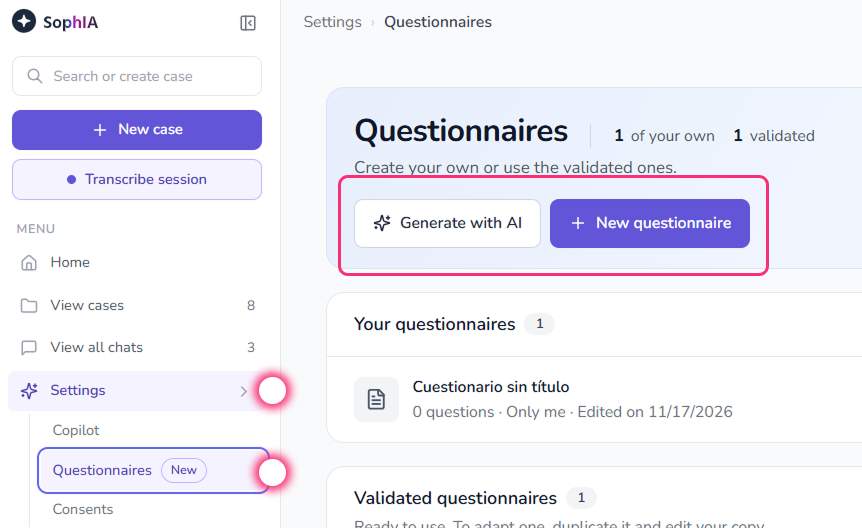
Questionnaire creation is already available with Free and Premium, on the same terms and with no additional restrictions for Free.
To use a published questionnaire, open the case, go to Assessment → Instruments, click New assessment and select it. It uses the same sending and results workflow as other assessments.
View the results
- Open the case in SophIA.
- Go to Assessment, in the Instruments section.
- Select a completed assessment.
- Review the results. To save the report, click Download PDF.
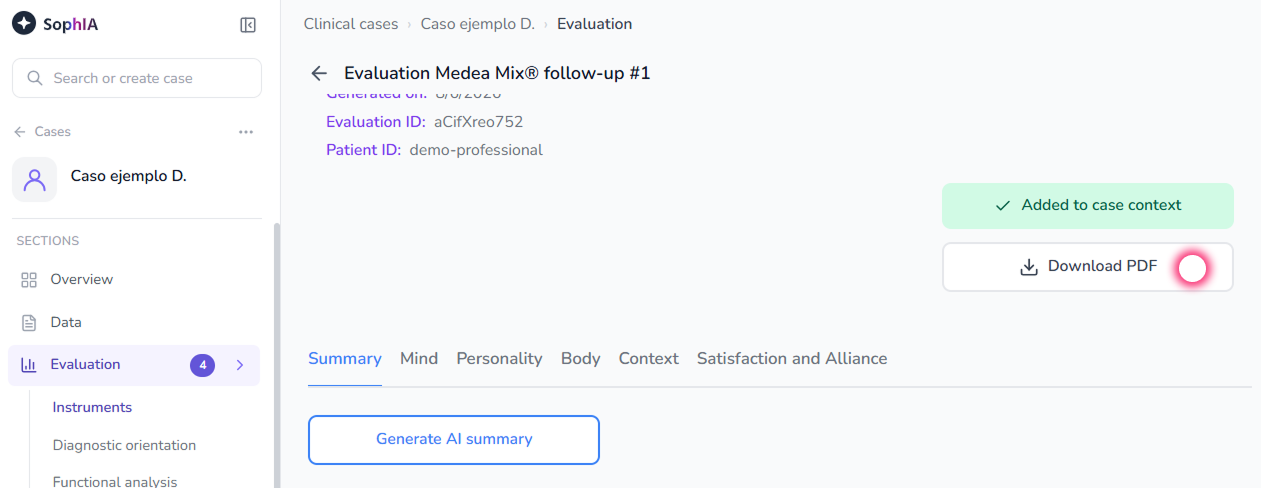
With Free, you can obtain results in the same way as with Premium, from the case’s Assessment section.
Results support professional assessment; they do not constitute a diagnosis on their own.