
How to request AI clinical supervision
AI clinical supervision analyses the case information and suggests areas to review. It can help you prepare to reflect on the therapeutic process.
It is included during the extended trial of paid plans.
Request supervision
- Open the case in SophIA.
- Go to Clinical supervision.
- Click Start supervision analysis.
- Wait for the analysis to finish and review the result.
-----
Assess the suggestions against the case information and your professional judgement.
How many you can request
You have 5 supervisions per month. Each analysis uses one when it is generated. You can check how many remain and the renewal day in Manage account → My subscription → SophIA features.
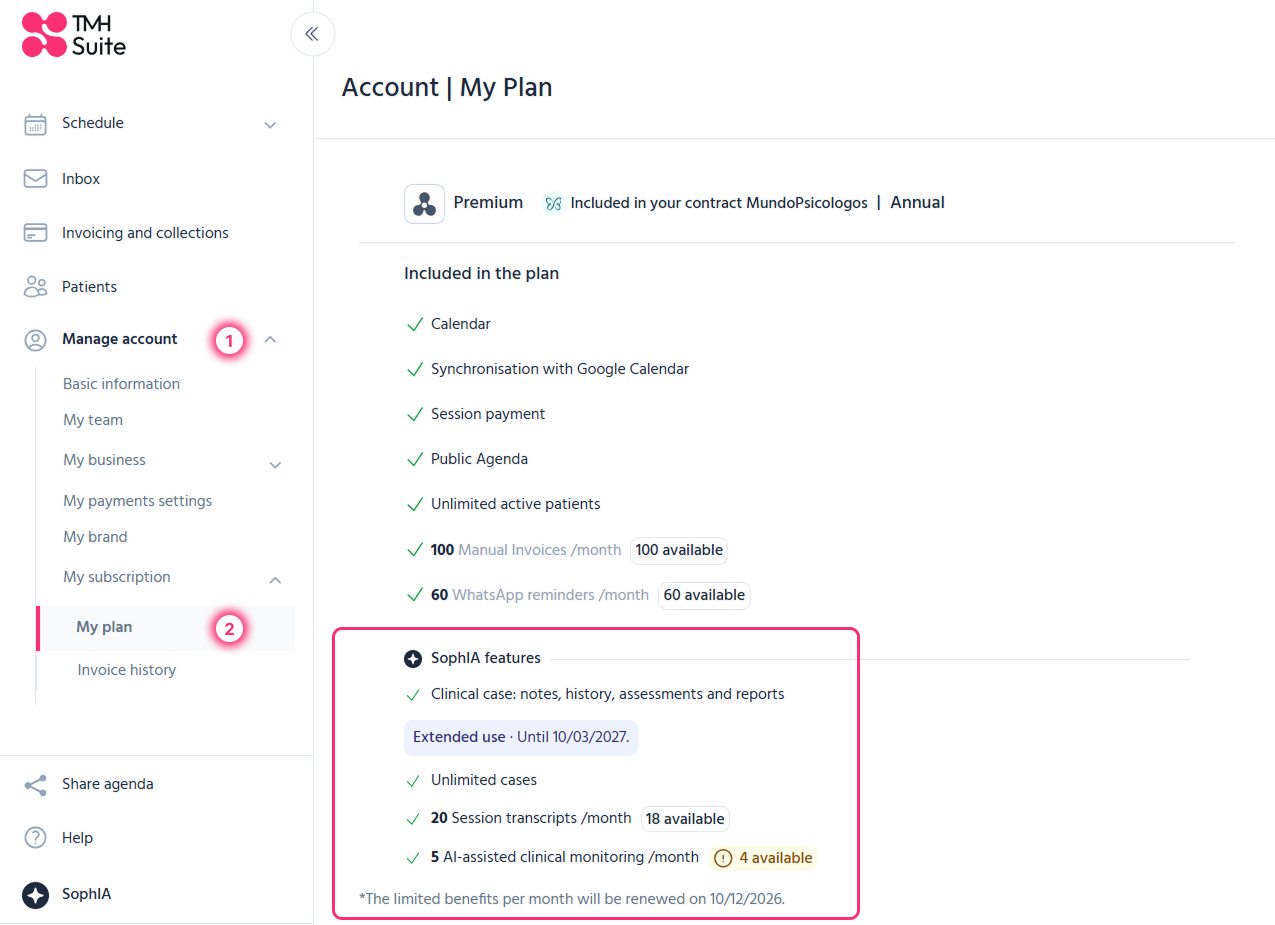
When you use them all, a notice appears and you cannot request more. Previously created supervisions remain available to view.